Claude Code
Answer Claude from anywhere.
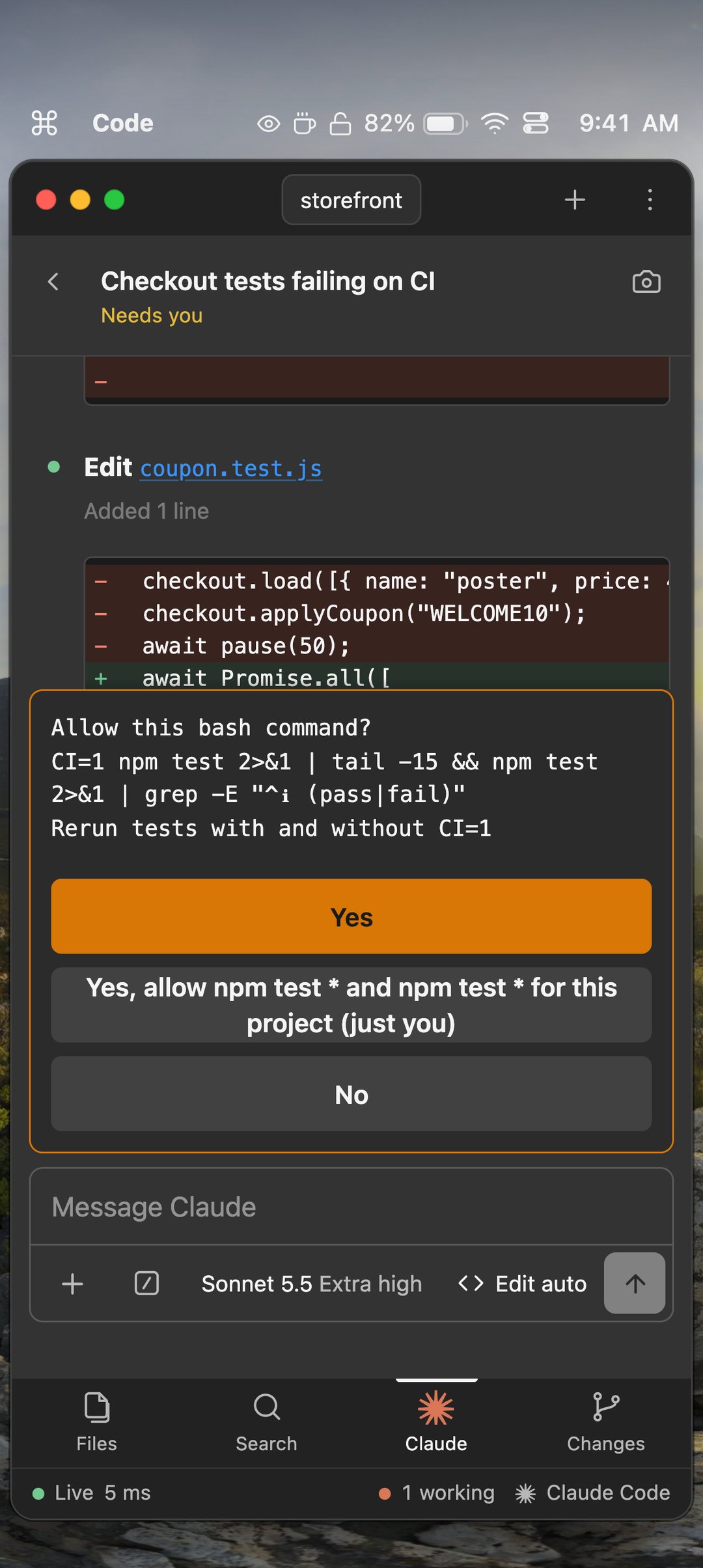
See every Claude chat running in VS Code on your Mac. Read what Claude did, answer its questions, say yes or no when it asks to run a command, and reply.
Features
Your Mac, its apps and its AI tools, all in your pocket. Here is what you get.
Work with Claude, Copilot and VS Code without going back to your desk.
Claude Code
See every Claude chat running in VS Code on your Mac. Read what Claude did, answer its questions, say yes or no when it asks to run a command, and reply.
Pop-up windows
Open any Claude or Copilot chat in its own window on your Mac, on every desktop. Keep several in tabs, or see two side by side.
Notification cards
A card appears in the corner of your Mac when a chat finishes. Read the answer and reply right there. Chats you miss wait in the Notification Center.
VS Code
Browse the project, open and edit files, search it, run commands in its terminal, ask Copilot, and look through and commit your changes. It is your real VS Code window.

GitHub Copilot
It answers with the GitHub Copilot already signed in to VS Code on your Mac, including Copilot Pro.
Terminal
Run commands in VS Code's terminal, or see and type into your Mac's Terminal windows.
Everything on your Mac that you reach for.
Finder
Browse your Desktop, Documents and Downloads, search by name and open a file to see it.
Chrome
Your open tabs and your logins, on your phone.
Apps
Every app on your Mac is in a launcher on your phone. The ones that are running have a dot beside their name.
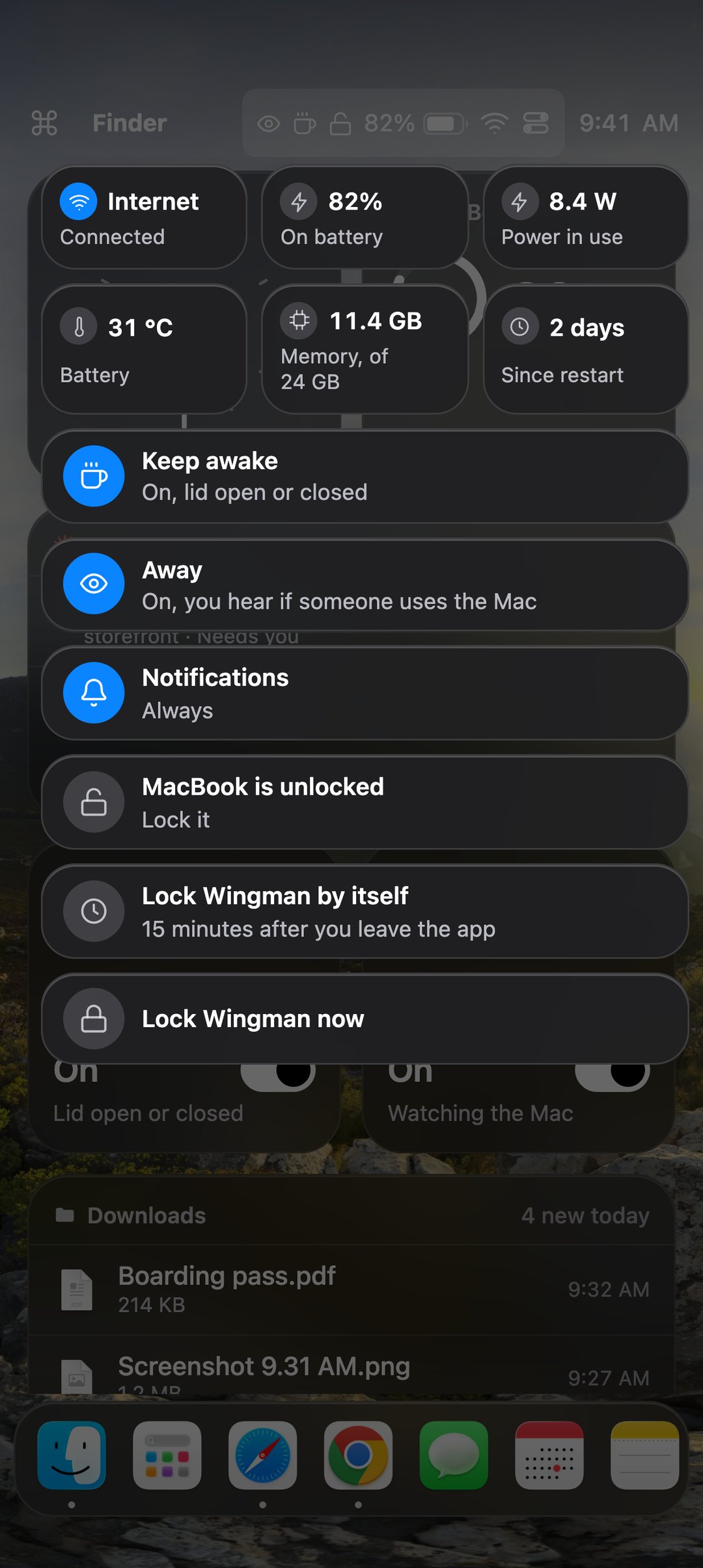
Control centre
Its connection, battery and power, memory, temperature and how long since it restarted, at a glance.
Home widgets
Choose what your phone's home shows, from your Mac: the clock, the battery, your Claude chats and more.
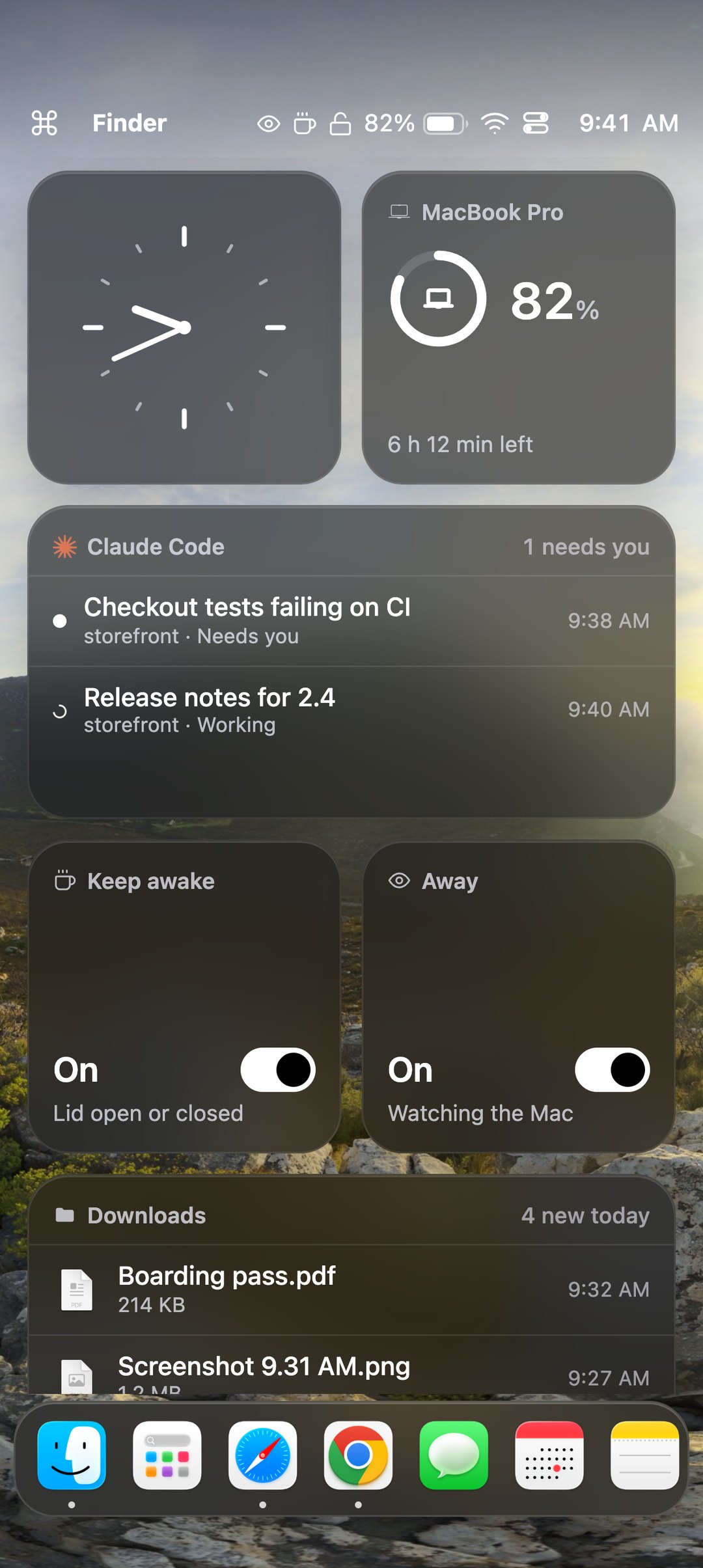
The few switches that matter when you are away from your Mac.
Keep awake
One switch keeps your Mac awake, lid open or closed.
Away
Turn on Away and your phone warns you if someone unlocks your Mac, with a button to lock it again.
Locks itself
It locks when you leave the app and opens with your PIN.
Updates itself
The Mac app keeps itself up to date, and your phone tells you when a newer Android app is ready.
Private by design
Scan a one-time code, approve the phone on your Mac, and everything between the two is encrypted with keys only they hold.
Tell us
From the Mac app or your phone, with screenshots or a recording. It goes straight to the people who build Wingman.